
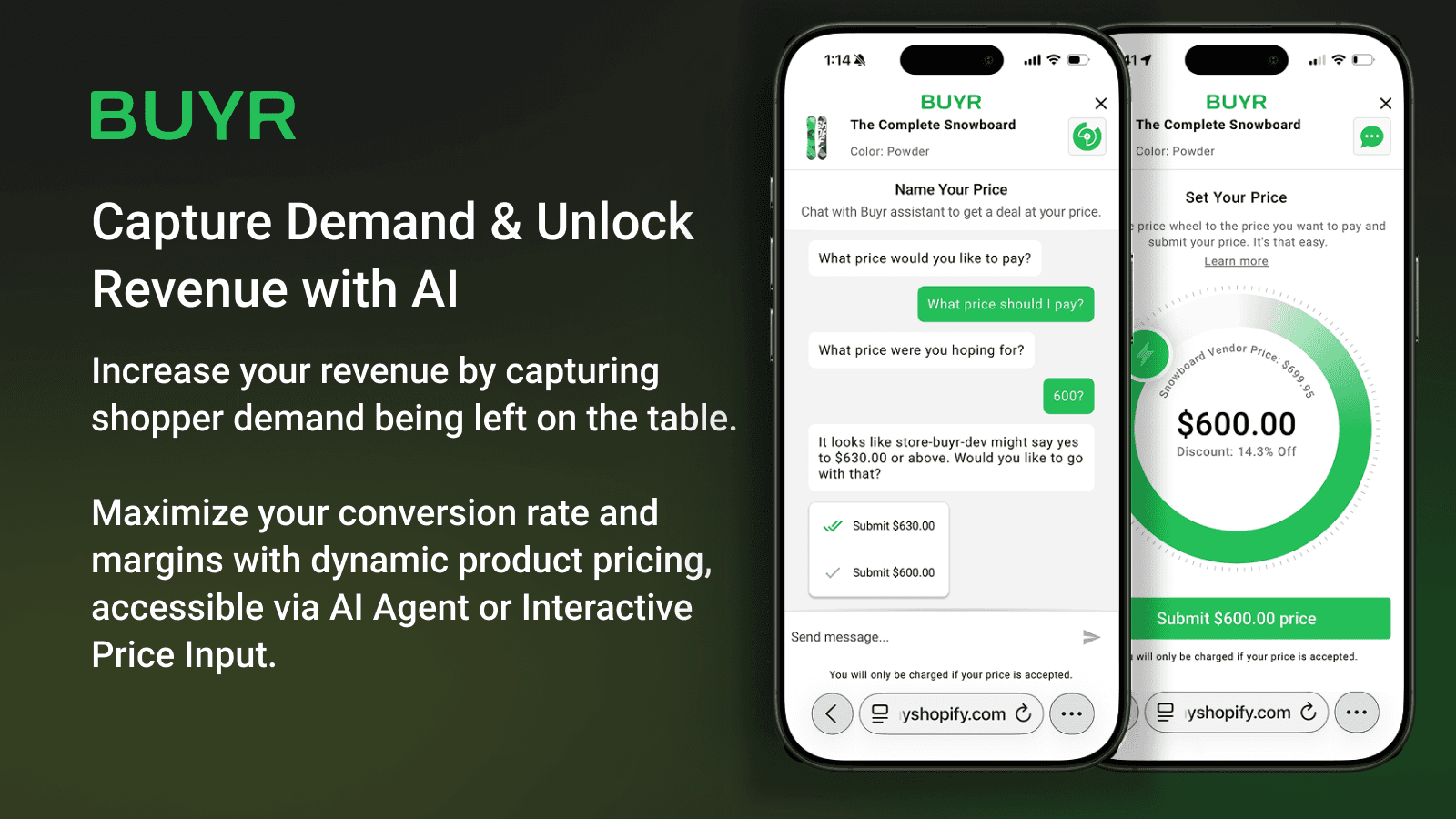
Buyr — Shopify App
A public Shopify app with AI-powered offer negotiation — built across storefront and merchant admin with a focus on performance, isolation, and polish.
- TypeScript
- React
- Tailwind CSS
- Shopify
- Framer Motion
- Vite
- Period
- 2024 – 2025
Buyr is a public Shopify app that lets shoppers set their own price or negotiate with an AI agent — capturing orders that would otherwise be lost at full price. Merchants configure profitability thresholds; Buyr handles the negotiation automatically.
I was brought in to solve an animation problem no one on the team had tackled before, and ended up contributing across both sides of the product: the storefront experience buyers see and the merchant admin dashboard. Working with a distributed team across Brazil and the United States, we delivered the MVP against a fixed deadline, followed by a post-MVP improvement phase.
The Constraints
The app runs embedded inside any Shopify storefront theme — with no control over the host's CSS, JavaScript environment, or component structure. A merchant running a minimalist theme and another running a custom brand theme would silently break the same widget in different ways.
On top of that, Shopify's own acceptance criteria imposed strict performance thresholds the app had to meet to stay listed in the App Store. Performance wasn't optional — it was a gate.

The storefront widget — interactive price input with AI negotiation chat.
Storefront
Rebuilding the animation system
The storefront widget had an animation system — but only as compiled vanilla JavaScript with no readable source. I reverse-engineered the behavior visually and rebuilt it from scratch using Framer Motion, making it a proper state-driven system connected to the offer lifecycle:
- Idle — ambient animated circles while the shopper browses
- In progress — active animation while the offer is being created
- Success — confetti burst with a yellow checkmark circle
- Existing offer — distinct animation state for returning shoppers
State was managed via React Context API, flowing through the entire storefront component tree.
Solving CSS isolation with Shadow DOM
While testing across different Shopify themes, I found that merchant CSS would leak into the widget and break the layout in unpredictable ways. I investigated the root cause, identified Shadow DOM as the right boundary, and implemented it to fully isolate the app's styles from whatever the host storefront was doing. This wasn't a requirement — it was a decision I made after diagnosing the problem.
Performance improvements
Meeting Shopify's App Store performance requirements meant treating performance as a deliverable, not an afterthought. I studied comparable apps in the store, tracked metrics in a spreadsheet, and drove the following improvements:
- On-demand rendering — only mount the widget when it's actually needed
- Dead code removal — stripped unused dependencies and unreachable branches
- Offer flow simplification — reduced steps and component depth in the critical path
- Refactoring — replaced inefficient loops, over-engineered hooks, and global state misuse
Merchant Admin

Real-time offer management — merchants see and act on incoming offers as they arrive.
On the merchant side, I built three screens using Shopify Polaris:
- Offer acceptance flow — pixel-perfect implementation of how merchants review and accept incoming offers
- Analytics screen — dashboard giving merchants visibility into received vs. accepted offers over time
- Onboarding / welcome screen — guided setup experience for merchants installing the app for the first time

Custom pricing models — merchants define thresholds and discount rules per product.
Technical Highlights
- Monorepo with npm workspaces — storefront (Vite + Tailwind) and merchant admin (Shopify Polaris) as fully separate apps
- Framer Motion — multi-state, choreographed animation system driven by React Context API
- Shadow DOM — CSS isolation across unpredictable storefront host environments
- Shopify App Bridge, Theme App Extensions, and Storefront API — learned and applied in full across both contexts
- Fixed deadline delivery with a structured post-MVP improvement phase
Technologies
- React — storefront widget and merchant admin UI; state managed via Context API across both apps
- Framer Motion — multi-state animation system for the offer lifecycle (idle, in progress, success, existing offer)
- Shopify Polaris — component library for the three merchant admin screens
- Tailwind CSS — storefront widget styling, scoped inside Shadow DOM
- Vite — storefront bundler; critical for the performance optimizations that met App Store requirements
- Shopify App Bridge — session management and Shopify admin integration
- Theme App Extensions — delivery mechanism for the storefront widget into merchant themes
- Storefront API — Shopify product and cart data access
- TypeScript — type safety across both apps
- npm workspaces — monorepo keeping storefront and admin as separate packages